
EcoScan – Visualising sustainability with AR:
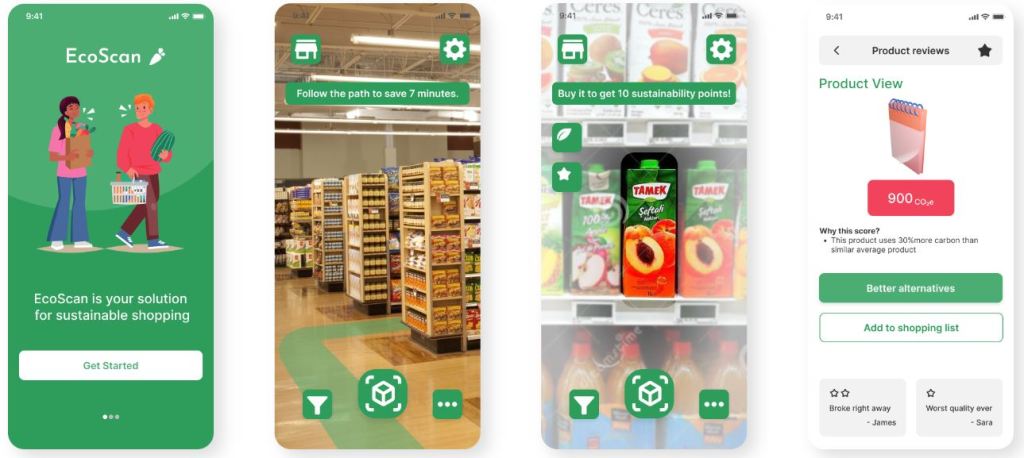
The objective of this project was to utilize extended reality (XR) to guide people towards more sustainable practices. Specifically, the focus was on enhancing eco-friendliness to users through digital technology aimed at uplifting the shopping experience while promoting sustainability options and fostering an optimal path for the shopper to avoid overconsumption. Throughout this project, employed design techniques & methodologies were CUE-model alongside with Experience-Driven design approach. The end product EcoScan, is an app that’s goal is to help customers gain more awareness of carbon dioxide emissions with their shopping habits and learn more sustainable ways to consume. Its main feature is the optimal shopping path visualized in AR. This digital prototype is built in Figma.
Link to the Figma prototype
Design Process
The graph below shows the ideation and brainstorming results of the first starting point. To find justification for the design decisions, a literature research was conducted by reviewing eight related papers and benchmarked existing solutions, of which the most papers were Nudging more sustainable grocery purchases: Behavioural innovations in a supermarket setting and PHARA: an augmented reality grocery store assistant.


Previous brainstorming session helped to lauch the research, a similar approach for designing the user studies was taken. Above, you can see the interplay of FigJam notes forming a somewhat cohesive overview what should be included in the user studies. First, to scope possible participants with an online questionnaire which got 19 responses. Out of those, four expressed their interest to participate in interviews.
Understanding the consumers (users)
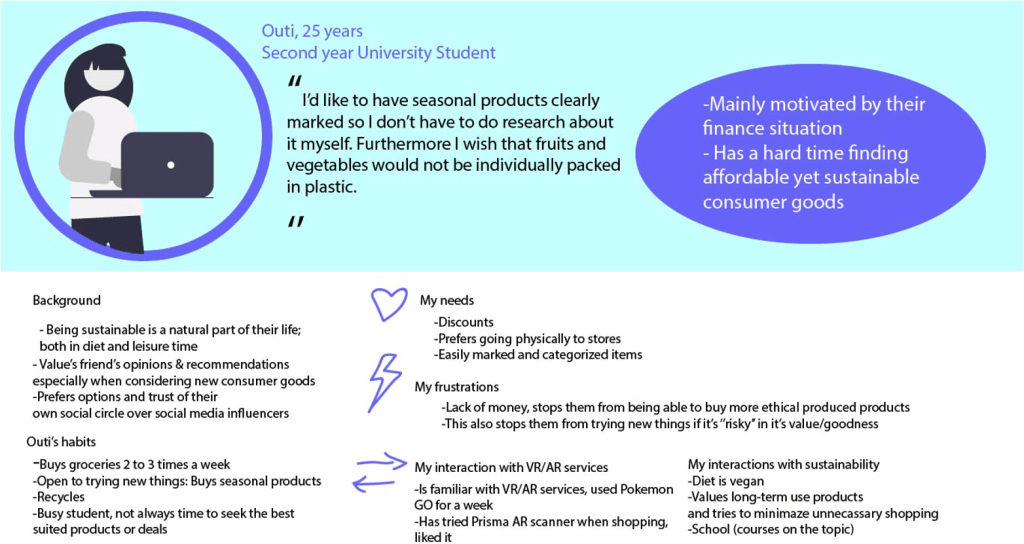
- Based on the all aforementioned research, two user personas were built. The first one, Outi, is a typical university student with a low budget to spend on groceries. The second one, Pekka, is a parent of two kids working as an engineer. From Pekka, it was found having kids had a strong influence on grocery shopping habits, while from Outi, it was learned personal finance impacts with certain limits what choices users can make when considering choosing sustainable options when it comes to refreshments.

Design & Prototype
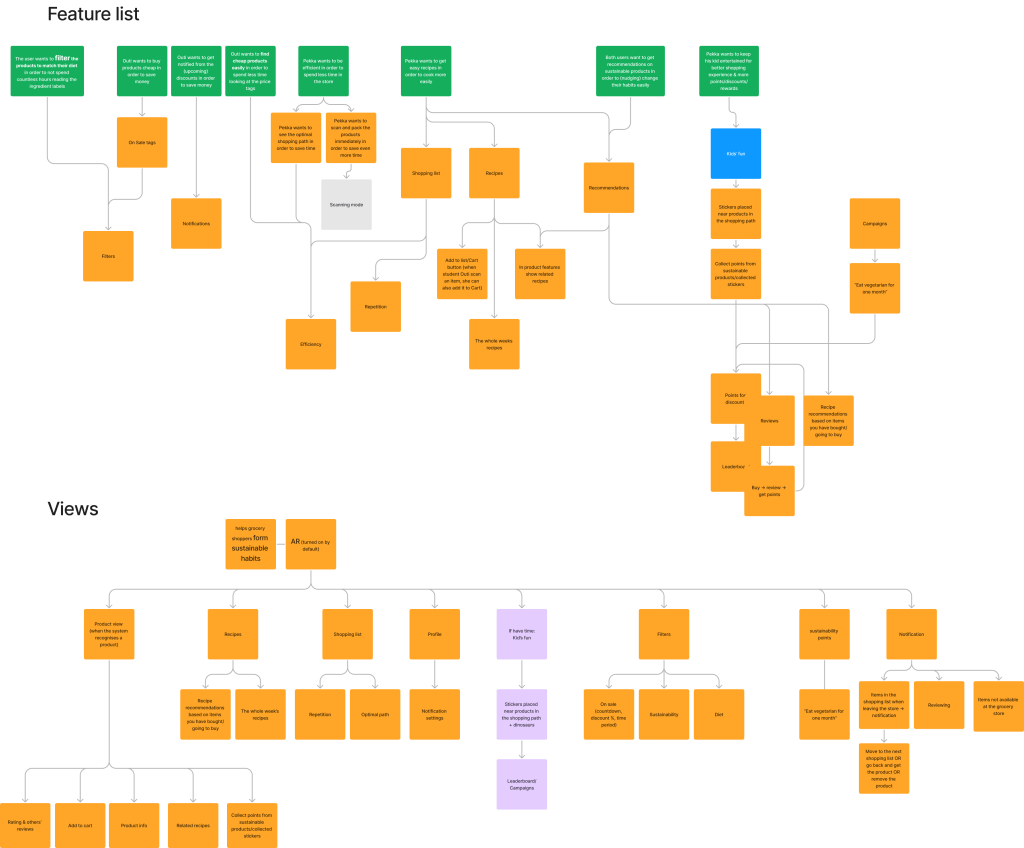
The features analyzed for the service, was organized in a flowchart below.
A key feature that was listed is how to measure the sustainability from and for the user? For this, carbon dioxide emissions was used to measure and calculate the user’s shopping manners, and to help customers gain more awareness of their shopping habits and to learn more sustainable ways to consume.
To help with less consuming habits the optimal path was created to help users find what they need fast to not be distracted by overconsumption practices that could be triggered from in-store purchasing. Utilizing this optional path, the user could be guided towards more ethical eco-friendlier choices, and to avoid overshopping.
Kids affect greatly the shopping experience of parents. The views and features are illustrated in the graph below. This “Kids’ fun” needed to be separated from the rest of the user flow for clarity reasons with colour coding it. The feature was renamed as “Kids’ Mode”. The Kids’ Mode was added to the further development plan and thus was not finished in the service development.
Feature list & Views flowcharts

Wireframes of the service, interactions (setting, filters, notification) & general views
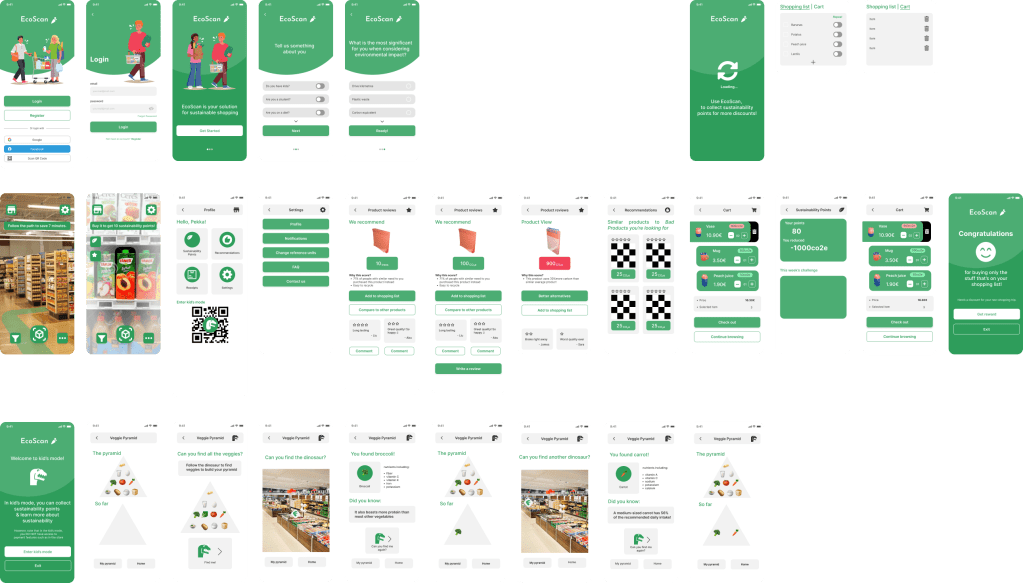
The design of the app is to help customers find what consumer goods they are looking for. Its main feature is the optimal path visualized in AR. This is illustrated below, the first two screens on the second row. The path is derived from the user’s shopping list. When approaching a product, the product is recognized through image recognition and the app shows the sustainability information along the reviews of the product. The user can scan the product with the app and pack it right away. Below illustrated are the screens of the final hi-fi prototype that was created.
Overview of the prototype layout
Kids’ Mode is still included in this version. This feature is only a one-direction lo-fi prototype illustrating how EcoScan could be used by a kid accompanying their parent.
Test & Iterate
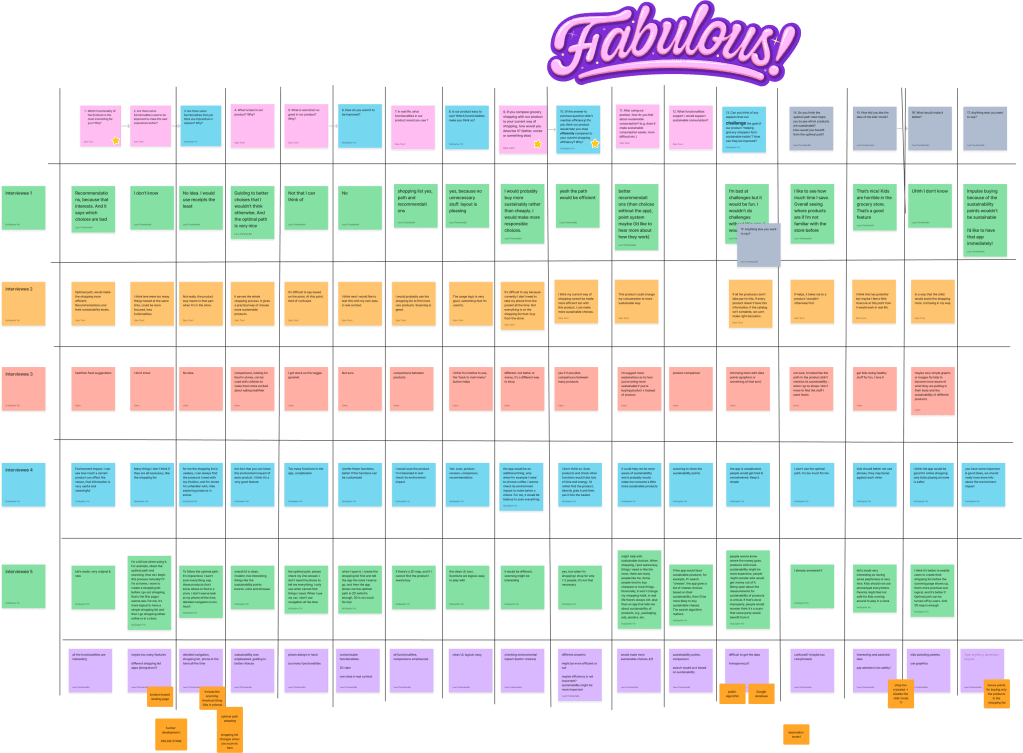
Second interview phase was conducted with the previous participants to confirm the findings from the first phase and to test the new hi-fi prototype. The conclusions were written down on the last row.
Further product development plan
This project there were so many possibilities that could have gone deeper with this prototype. There were a lot affordances in the prototype, but which were not yet fully implemented. From the second interview-phase, the collected insights could be used more into revising the design of the application. The most important features that would be development for EcoScan: sustainability points, recipes integration, and kids’ mode.
– Implementing sustainability points, as an incentive towards sustainable habits, more research needed to implement it meaningfully and with ease to the user.
– Utilizing recipe providers. Existing providers to quickly add the ingredients to the shopping list.
– Kid’s Mode needs to be studied. To further understand a system that kids would enjoy and make the shopping experience for the parent more pleasant. These features could be a game meant to help their parents reach their points but further study is needed.
 Liana Linvik's Portfolio